
Essential Korea Travel Apps Before Visiting
한국 여행 전 받아야 할 필수 앱과 화면 속 한국어
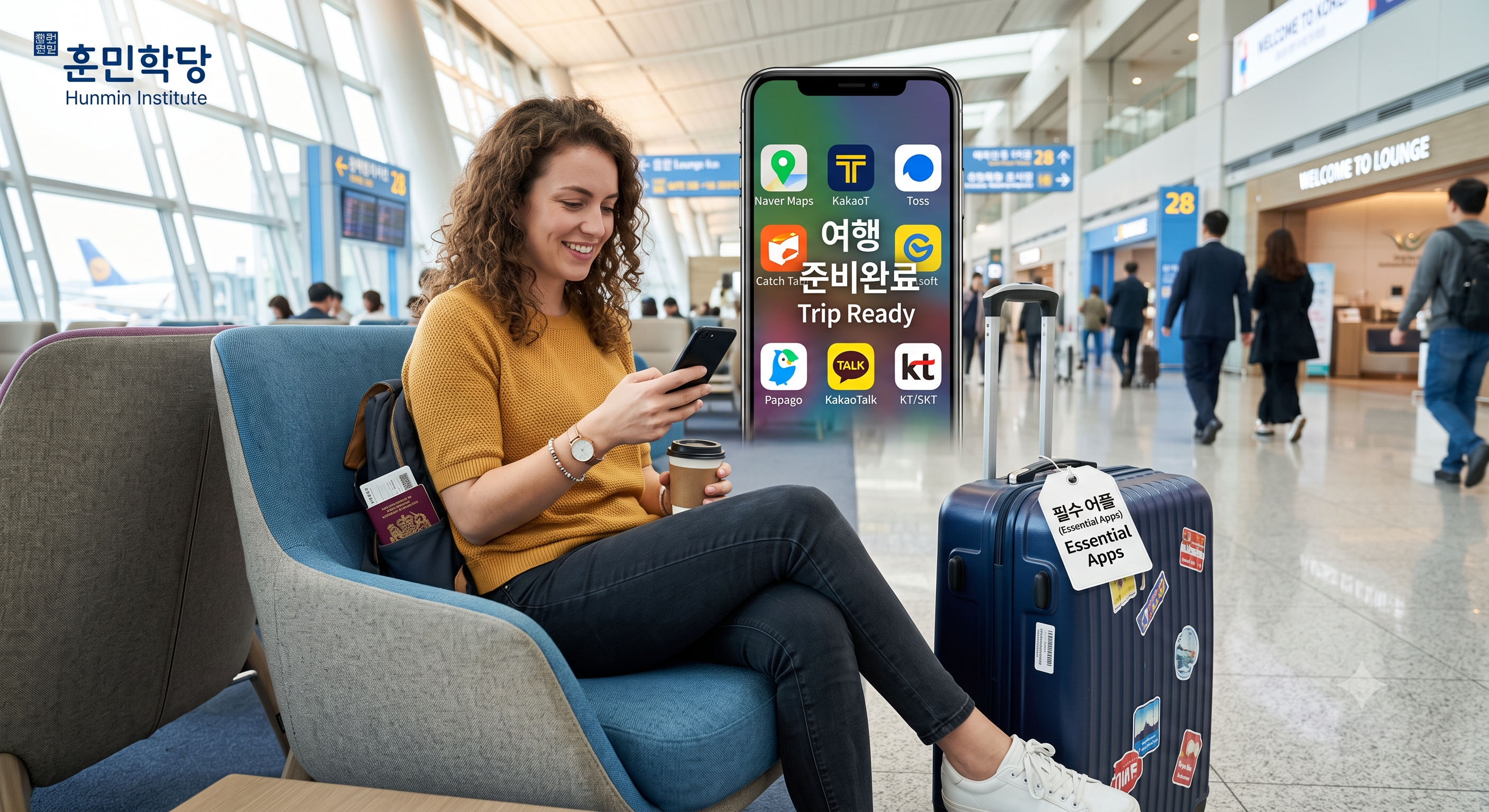
Seven apps cover a trip to Korea, but their buttons are in Korean.
Learn the ten words on those screens and the lines for the counters.
한국 여행에 필요한 앱은 일곱 개면 충분하지만 버튼은 한국어로 되어 있습니다.
이 글에서 화면에 뜨는 열 낱말과 창구에서 쓰는 한국어를 익힙니다.
All learning services for the teaching materials published on this blog are free for blog subscribers on the Hunmin Institute website ↗.
이 글에서 배우는 핵심 회화
Key Expressions in This Lesson
앱이 대신해 주지 못하는 자리가 남습니다. 아래 여덟 문장은 좌우가 한 쌍의 대화가 아니라 각각 따로 익히는 문장입니다. 먼저 눈에 담고 본문으로 들어가십시오.
There are moments an app cannot finish for you. The two columns below are not paired dialogue; each sentence is learned on its own. Take them in first, then move into the main text.
| 듣는 말 Listening |
하는 말 Speaking |
|---|---|
| 여기를 눌러 주세요. [yeogireul nulleo juseyo] Please tap here. |
길찾기 어디 있어요? [gilchatgi eodi isseoyo] Where is the directions button? |
| 이쪽으로 가세요. [ijjogeuro gaseyo] Please go this way. |
여기 어떻게 가요? [yeogi eotteoke gayo] How do I get here? |
| 앱에 목적지가 있습니다. [aebe mokjeokjiga itseumnida] The destination is in the app. |
여기 세워 주세요. [yeogi sewo juseyo] Please stop here. |
| 기종 확인해 드릴게요. [gijong hwaginhae deurilgeyo] Let me check your phone model. |
이심 개통하려고요. [isim gaetongharyeogoyo] I would like to activate an eSIM. |
첫째 줄은 소단락 1에서, 둘째 줄은 소단락 2에서, 셋째 줄은 소단락 3에서, 넷째 줄은 소단락 7에서 다루고, 결제와 예약, 번역에서 쓰는 말은 소단락 4와 5, 6에서 다룹니다.
The first row is covered in Section 1, the second in Section 2, the third in Section 3 and the fourth in Section 7, while the lines for paying, booking and translating come in Sections 4, 5 and 6.
1. 앱 화면에서 반드시 만나는 한국어
The Korean You Will Meet on Every Screen
영어 인터페이스를 켜도 버튼 일부와 알림 문구는 한국어로 뜹니다. 화면이 막히는 자리는 대개 정해져 있고, 여기 있는 열 낱말만 알면 그 자리를 넘어갑니다.
Even with the English interface on, some buttons and alerts stay in Korean. The places where a screen stops you are fairly fixed, and these ten words carry you past them.
| 화면 문구 On screen |
뜻과 쓰임 Meaning and use |
|---|---|
| 출발 [chulbal] Departure |
어디서 타는지를 넣는 칸입니다 The field for where you get on |
| 도착 [dochak] Arrival |
어디서 내리는지를 넣는 칸입니다 The field for where you get off |
| 길찾기 [gilchatgi] Directions |
경로를 검색하는 단추입니다 The button that searches a route |
| 예매 [yemae] Advance booking |
표를 미리 사는 것입니다 Buying a ticket in advance |
| 좌석 [jwaseok] Seat |
앉는 자리를 고르는 화면입니다 The screen for choosing where you sit |
| 충전 [chungjeon] Top-up |
카드에 돈을 넣는 것입니다 Adding money to a card |
| 결제 [gyeolje] Payment |
돈을 내는 단계입니다 The step where you pay |
| 인증 [injeung] Verification |
본인 확인이며 대개 문자로 숫자가 옵니다 Identity verification, usually a code by text |
| 대기 [daegi] Waiting |
줄을 서서 기다리는 상태입니다 Waiting in a queue |
| 취소 [chwiso] Cancel |
예약이나 호출을 무르는 것입니다 Releasing a booking or a call |
여기서 쓰는 표현부터 배워봅시다. 화면 앞에서 막혔을 때 오가는 말입니다.
Start with the expressions you will use here. These go back and forth when a screen stops you.
| 듣는 말 Listening |
하는 말 Speaking |
|---|---|
| 여기를 눌러 주세요. [yeogireul nulleo juseyo] Please tap here. |
길찾기 어디 있어요? [gilchatgi eodi isseoyo] Where is the directions button? |
| 인증 문자 받으셨어요? [injeung munja badeusyeosseoyo] Did you get the verification text? |
문자가 안 와요. [munjaga an wayo] The text is not coming. |
| 해외 번호는 안 될 수 있어요. [haeoe beonhoneun an doel su isseoyo] Foreign numbers may not work. |
다른 방법 있어요? [dareun bangbeop isseoyo] Is there another way? |
| 취소하시겠어요? [chwisohasigesseoyo] Would you like to cancel? |
취소 어디 있어요? [chwiso eodi isseoyo] Where is the cancel button? |
응용 Apply It
↳ [명사] 어디 있어요?
[noun] eodi isseoyo
Where is the [noun]?
ex 길찾기 어디 있어요?/예매 어디 있어요?/취소 어디 있어요?
ROM gilchatgi eodi isseoyo/yemae eodi isseoyo/chwiso eodi isseoyo
EN Where is the directions button?/Where is the booking button?/Where is the cancel button?
▶출발과 도착은 늘 짝으로 나옵니다.
Chulbal and dochak always appear as a pair.
지도와 예매 화면에서 이 두 칸을 먼저 찾으면 나머지 단추는 위치로 짐작할 수 있습니다. 위가 출발이고 아래가 도착입니다.
Find these two fields first on map and booking screens and you can guess the rest by position. Departure sits on top, arrival below.
인증은 본인 확인을 뜻하며 대개 문자로 숫자가 옵니다. 해외 번호로는 인증이 막히는 앱이 있으니 이 낱말이 뜨면 그 지점을 확인해야 합니다.
인증 means identity verification, usually a code by text. Some apps block foreign numbers here, so this word marks the point to check.
되나요와 해 주세요, 이 두 틀이면 대부분의 창구가 넘어갑니다. 되나요는 가능한지 묻는 틀이고 해 주세요는 부탁하는 틀이며, 앞의 낱말만 바꾸면 어디서나 그대로 쓰입니다.
Two frames, 되나요 and 해 주세요, carry you through most counters. 되나요 asks whether something is possible and 해 주세요 makes a request; swap the word in front and they work anywhere.
2. 길찾기와 교통, 지도 앱
Navigation and Transit
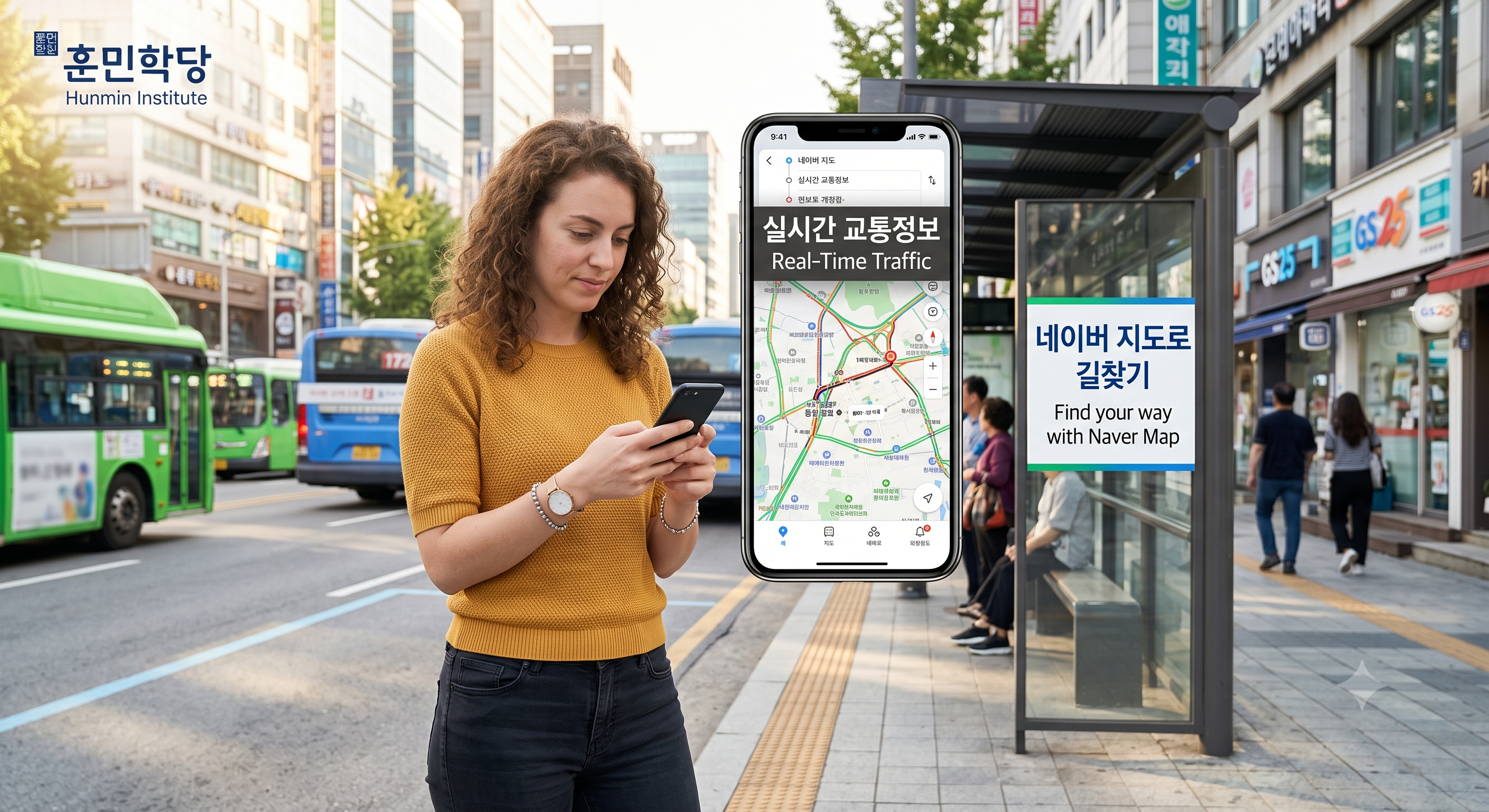
한국은 지도 서비스 환경이 달라 평소 쓰던 지도 앱이 도보나 대중교통 안내에서 아쉬운 경우가 있습니다. 국내 지도 앱을 하나 깔아 두면 그 자리가 메워집니다.
Korea’s map service environment differs, so your usual map app may fall short for walking and transit. Installing one local map app fills that gap.
| 무엇을 합니까 What it does |
화면에서 만나는 말 The Korean on screen |
|---|---|
| 도보와 지하철 경로 안내 Walking and subway routes |
출발, 도착, 길찾기 [chulbal, dochak, gilchatgi] Departure, arrival, directions |
| 열차와 고속버스 예매 Booking trains and express buses |
예매, 좌석, 결제 [yemae, jwaseok, gyeolje] Booking, seat, payment |
| 영어를 포함한 다국어 인터페이스 A multilingual interface including English |
일부 단추는 한국어로 남습니다 Some buttons stay in Korean |
여기서 쓰는 표현부터 배워봅시다. 길을 확인할 때 오가는 말입니다.
Start with the expressions you will use here. These go back and forth as you check a route.
| 듣는 말 Listening |
하는 말 Speaking |
|---|---|
| 이쪽으로 가세요. [ijjogeuro gaseyo] Please go this way. |
여기 어떻게 가요? [yeogi eotteoke gayo] How do I get here? |
| 지하철이 빨라요. [jihacheori ppallayo] The subway is faster. |
지하철 어떻게 가요? [jihacheol eotteoke gayo] How do I get to the subway? |
| 환승하셔야 해요. [hwanseunghasyeoya haeyo] You will need to transfer. |
몇 번 갈아타요? [myeot beon garatayo] How many times do I change? |
| 걸어서 십 분입니다. [georeoseo sip bunimnida] It is ten minutes on foot. |
걸어서 갈 수 있어요? [georeoseo gal su isseoyo] Can I walk there? |
▶인터페이스를 영어로 바꿔도 출발과 도착, 예매는 한국어로 남습니다.
Even in English, chulbal, dochak and yemae often stay in Korean.
앞의 표를 함께 보시면 화면에서 막히지 않습니다. 경로를 검색할 때는 길찾기, 표를 미리 살 때는 예매를 누르면 됩니다.
Keep the earlier table in mind and the screen stops being a wall. Tap 길찾기 to search a route and 예매 to buy a ticket in advance.
화면을 보여 주며 여기 어떻게 가요라고 물으면 발음이 서툴러도 통합니다. 지도 앱은 길을 알려 주고 이 한 문장은 사람을 붙잡아 줍니다.
Show the screen and ask 여기 어떻게 가요, and it works even if your pronunciation is rough. The map app gives you the route; this one sentence gives you a person.
3. 택시 잡기, 카카오T와 케이라이드
Hailing a Taxi

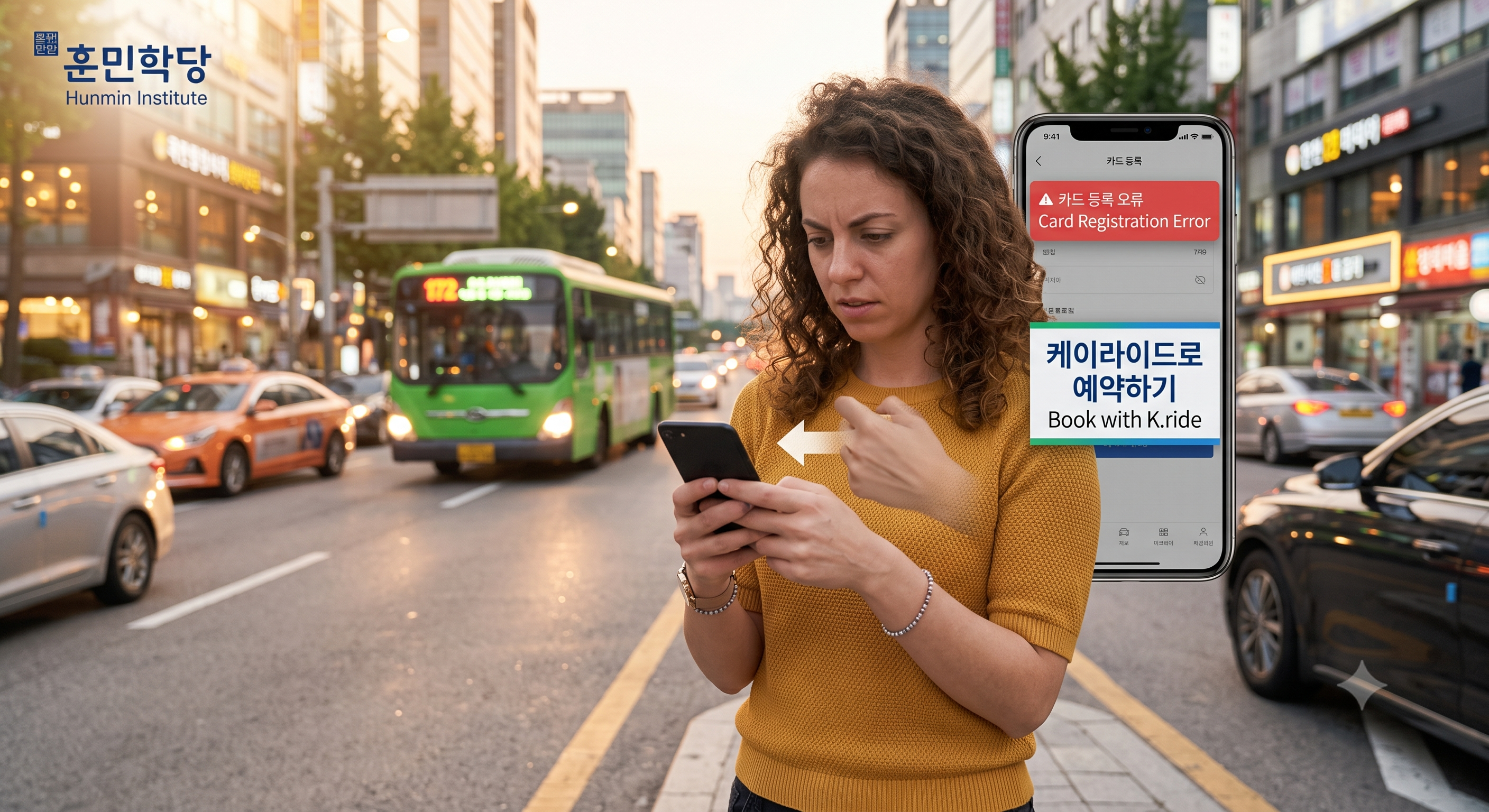
한국에서 택시를 잡을 때 가장 널리 쓰이는 앱은 카카오T입니다. 다만 해외 발행 카드를 등록할 때 오류가 나는 경우가 있어 외국인 전용 앱인 케이라이드가 함께 운영됩니다.
Kakao T is the most widely used taxi app in Korea. Foreign-issued cards sometimes fail at registration, so K.ride, an app for foreign users, runs alongside it.
| 앱 App |
강점 What it is good for |
주의할 점 What to watch |
|---|---|---|
| 카카오T [kakaoti] Kakao T |
호출량이 가장 많아 차가 빨리 잡힙니다 The largest volume of calls, so cars arrive fastest |
해외 카드 등록에서 오류가 날 수 있습니다 Foreign card registration can fail |
| 케이라이드 [keiraideu] K.ride |
해외 번호 가입과 해외 카드 결제를 지원합니다 Supports foreign numbers and foreign cards |
지역에 따라 호출이 적을 수 있습니다 Fewer cars in some areas |
여기서 쓰는 표현부터 배워봅시다. 앱이 막혔을 때 오가는 말입니다.
Start with the expressions you will use here. These go back and forth when the app blocks you.
| 듣는 말 Listening |
하는 말 Speaking |
|---|---|
| 카드 등록이 안 됩니다. [kadeu deungnogi an doemnida] The card cannot be registered. |
카드 등록이 안 돼요. [kadeu deungnogi an dwaeyo] My card will not register. |
| 현금으로 하시겠어요? [hyeongeumeuro hasigesseoyo] Would you like to pay cash? |
현금으로 할게요. [hyeongeumeuro halgeyo] I will pay cash. |
| 호출이 취소되었습니다. [hochuri chwisodoeeotseumnida] The call has been cancelled. |
다시 부를게요. [dasi bureulgeyo] I will call again. |
| 앱에 목적지가 있습니다. [aebe mokjeokjiga itseumnida] The destination is in the app. |
여기 세워 주세요. [yeogi sewo juseyo] Please stop here. |
▶카카오T를 먼저 시도하고 막히면 케이라이드로 넘어가십시오.
Try Kakao T first, and move to K.ride if you hit a wall.
목적지는 앱에 입력하면 기사에게 그대로 전달되므로 말로 설명하지 않아도 됩니다. 내릴 때만 여기 세워 주세요 한 문장이면 됩니다.
The destination you enter in the app reaches the driver, so you do not have to explain it. To get out, 여기 세워 주세요 is all you need.
안 돼요는 고장을 말하는 것이 아니라 그 절차가 지나가지 않는다는 뜻입니다. 창구에서도 앱에서도 같은 자리에 쓰입니다.
안 돼요 does not report a breakdown; it says the step will not go through. The same line works at a counter and inside an app.
4. 환전과 결제, 와우패스와 스마트폰 페이
Exchange and Payment
와우패스는 현금 환전과 선불카드 충전, 교통카드 기능을 하나의 앱과 카드로 묶어 줍니다. 스마트폰에 결제 수단을 미리 등록해 두는 것도 도움이 됩니다.
WOWPASS bundles cash exchange, prepaid top-ups and the transit card into one app and one card. Registering a payment method on your phone in advance helps too.
| 수단 Method |
한국에서의 통용 범위 How widely it works in Korea |
|---|---|
| 와우패스 [waupaeseu] WOWPASS |
환전과 충전, 교통카드를 한 장으로 처리합니다 Exchange, top-up and transit in a single card |
| 삼성페이 [samseongpei] Samsung Pay |
국내 대부분의 카드사와 매장에서 통용됩니다 Accepted by most Korean issuers and stores |
| 애플페이 [aepeulpei] Apple Pay |
2026년 현재 이용 가능한 카드사가 한정되어 있습니다 As of 2026, only a limited set of card issuers is supported |
여기서 쓰는 표현부터 배워봅시다. 계산대에서 오가는 말입니다.
Start with the expressions you will use here. These go back and forth at the till.
| 듣는 말 Listening |
하는 말 Speaking |
|---|---|
| 결제 도와드릴게요. [gyeolje dowadeurilgeyo] Let me help you with the payment. |
카드 되나요? [kadeu doenayo] Do you take cards? |
| 얼마 충전해 드릴까요? [eolma chungjeonhae deurilkkayo] How much shall I top up? |
만 원 충전해 주세요. [man won chungjeonhae juseyo] Ten thousand won, please. |
| 이 카드는 안 됩니다. [i kadeuneun an doemnida] This card is not accepted. |
현금으로 할게요. [hyeongeumeuro halgeyo] I will pay cash. |
| 영수증 드릴까요? [yeongsujeung deurilkkayo] Would you like a receipt? |
괜찮아요. [gwaenchanayo] No, thank you. |
▶아이폰을 쓰신다면 결제 수단을 하나 더 준비하십시오.
If you use an iPhone, prepare a second payment method.
애플페이는 이용 가능한 카드사 조건이 바뀔 수 있으므로 방문 전 확인이 필요합니다. 조건에 걸리면 실물 카드나 현금이 그 자리를 대신합니다.
The set of issuers supporting Apple Pay can change, so check before your trip. If you fall outside it, a physical card or cash takes its place.
충전은 편의점과 역 창구에서 충전해 주세요 한 문장으로 해결됩니다. 금액을 앞에 붙이면 그대로 전달됩니다.
For top-ups, 충전해 주세요 handles it at convenience stores and station counters. Put the amount in front and it is understood as is.
5. 맛집 예약과 줄서기
Booking and Queueing
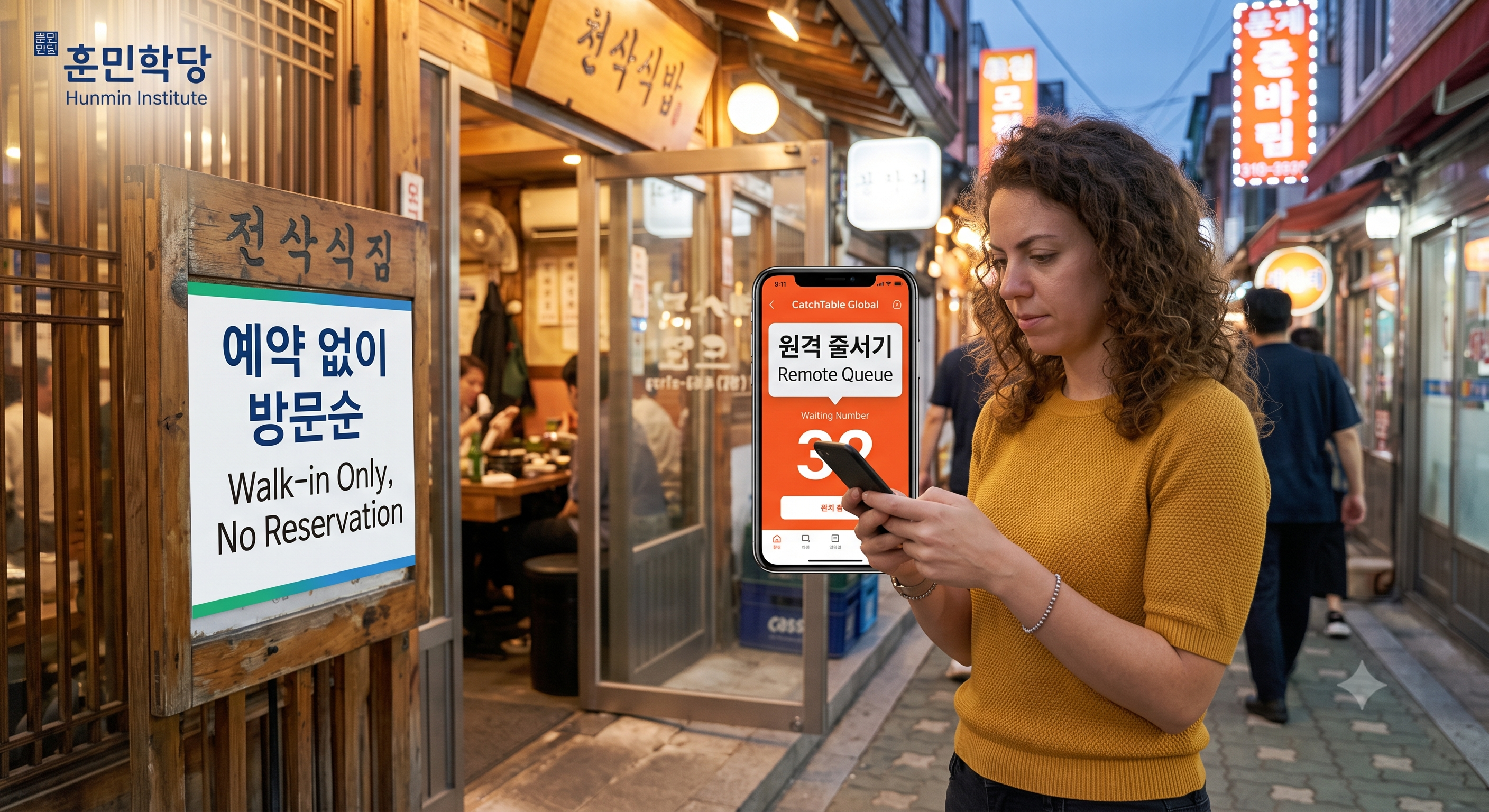
유명한 가게일수록 대기가 깁니다. 캐치테이블 글로벌은 한국 번호가 없어도 해외 번호와 카드로 예약하거나 원격으로 줄을 설 수 있습니다.
The more famous the place, the longer the wait. Catchtable Global lets you book or queue remotely with a foreign number and card.
| 화면 문구 On screen |
무엇을 뜻합니까 What it means |
|---|---|
| 예약 [yeyak] Reservation |
시간을 미리 잡아 두는 것입니다 Holding a time slot in advance |
| 대기 [daegi] Waiting |
원격으로 줄을 서 순서를 기다리는 것입니다 Queueing remotely and waiting your turn |
| 취소 [chwiso] Cancel |
잡아 둔 예약이나 대기를 무르는 것입니다 Releasing a booking or a place in the queue |
여기서 쓰는 표현부터 배워봅시다. 가게 앞에서 오가는 말입니다.
Start with the expressions you will use here. These go back and forth in front of the shop.
| 듣는 말 Listening |
하는 말 Speaking |
|---|---|
| 몇 분이세요? [myeot bunieseyo] How many people? |
두 명이요. [du myeongiyo] Two, please. |
| 지금 대기 많습니다. [jigeum daegi mansseumnida] The wait is long right now. |
얼마나 기다려요? [eolmana gidaryeoyo] How long is the wait? |
| 성함 남겨 주세요. [seongham namgyeo juseyo] Please leave your name. |
대기 되나요? [daegi doenayo] Can I join the waiting list? |
| 영어 메뉴 있습니다. [yeongeo menyu itseumnida] We have an English menu. |
영어 메뉴 있어요? [yeongeo menyu isseoyo] Do you have an English menu? |
▶로컬 가게 중에는 예약 없이 방문 순서대로만 받는 곳도 많습니다.
Many local places take walk-ins only.
앱은 참고용으로 쓰고 현장 상황을 함께 보십시오. 가게 앞에서 대기 명단을 물을 때는 대기 되나요라고 하면 됩니다.
Use the app as a reference and read the situation on site. To ask about the waiting list, say 대기 되나요.
몇 분이세요는 사람 수를 묻는 말입니다. 두 명이요처럼 숫자에 명이요를 붙여 답하면 그대로 통합니다.
몇 분이세요 asks how many are in your party. Answer with a number plus 명이요, as in 두 명이요, and it lands.
6. 언어 장벽 넘기, 번역기와 AI 챗봇
Crossing the Language Barrier
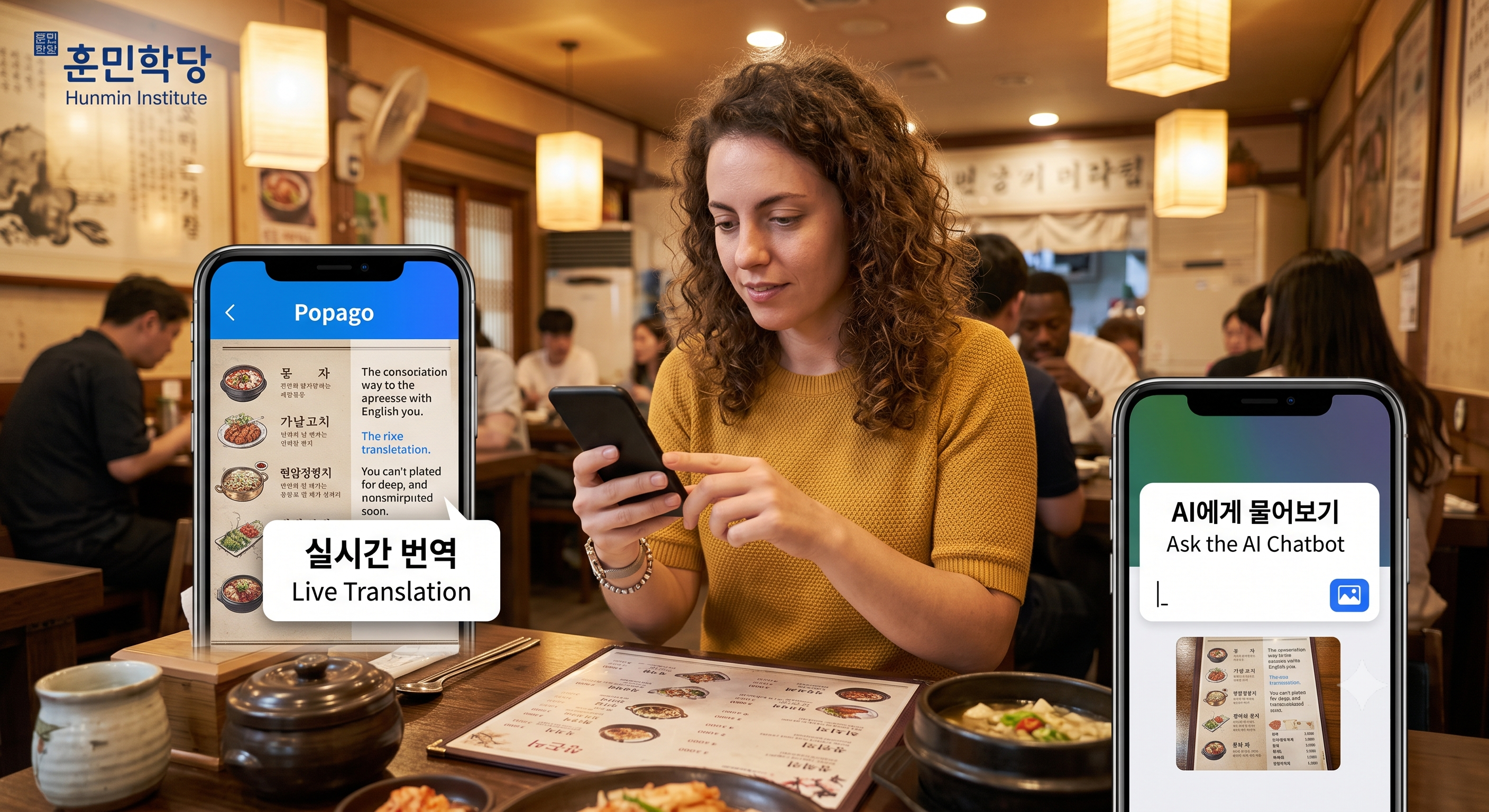
한국어 메뉴판이나 표지판 앞에서 막혔다면 번역 앱의 카메라 기능으로 그 자리에서 옮겨 볼 수 있습니다. 사진을 찍어 AI 챗봇에 상황째로 물어보는 방식도 널리 쓰입니다.
Stuck in front of a Korean menu or sign, you can translate it on the spot with a translation app’s camera. Photographing it and asking an AI chatbot about the whole situation is also common now.
| 도구 Tool |
어디에 강합니까 What it is stronger at |
|---|---|
| 번역 앱 [beonyeok aep] Translation app |
메뉴판과 표지판처럼 낱말 대 낱말 번역에 강합니다 Stronger at word-for-word translation, as on menus and signs |
| AI 챗봇 [eiai chaetbot] AI chatbot |
상황 설명과 복잡한 질문에 강합니다 Stronger at explaining a situation and handling complex questions |
여기서 쓰는 표현부터 배워봅시다. 뜻을 물을 때 오가는 말입니다.
Start with the expressions you will use here. These go back and forth when you ask what something means.
| 듣는 말 Listening |
하는 말 Speaking |
|---|---|
| 매운 음식이에요. [maeun eumsigieyo] It is a spicy dish. |
이거 무슨 뜻이에요? [igeo museun tteusieyo] What does this mean? |
| 맵지 않게 해 드릴까요? [maepji anke hae deurilkkayo] Shall I make it less spicy? |
안 맵게 해 주세요. [an maepge hae juseyo] Not spicy, please. |
| 사진 보여 드릴게요. [sajin boyeo deurilgeyo] Let me show you a photo. |
사진 있어요? [sajin isseoyo] Do you have a photo? |
| 천천히 말씀드릴게요. [cheoncheonhi malsseumdeurilgeyo] I will speak slowly. |
천천히 말해 주세요. [cheoncheonhi malhae juseyo] Please speak slowly. |
▶번역기에 기대는 만큼 표현은 늘지 않습니다.
The more you lean on a translator, the slower your Korean grows.
아는 문장은 직접 말해 보십시오. 카드 되나요, 여기 세워 주세요처럼 짧은 문장부터 입에 붙이면 번역기를 꺼내는 횟수가 줄어듭니다.
Say the lines you know yourself. Start with short ones like 카드 되나요 and 여기 세워 주세요, and you will reach for the translator less often.
번역기는 낱말을 옮기고 챗봇은 상황을 풀어 줍니다. 메뉴판은 앞의 것이, 사정을 설명해야 하는 자리는 뒤의 것이 낫습니다.
A translator moves words; a chatbot unpacks a situation. Menus suit the former, and moments that need explaining suit the latter.
안 맵게 해 주세요는 식당 편에서 익힌 덜 맵게 해 주세요와 같은 자리에 씁니다. 형용사만 바꾸면 안 짜게, 안 달게로 벌어집니다.
안 맵게 해 주세요 sits in the same slot as 덜 맵게 해 주세요 from the restaurant post. Change the adjective and you get 안 짜게 or 안 달게.
7. 통신 준비, 카카오톡과 이심
Messaging and Connectivity
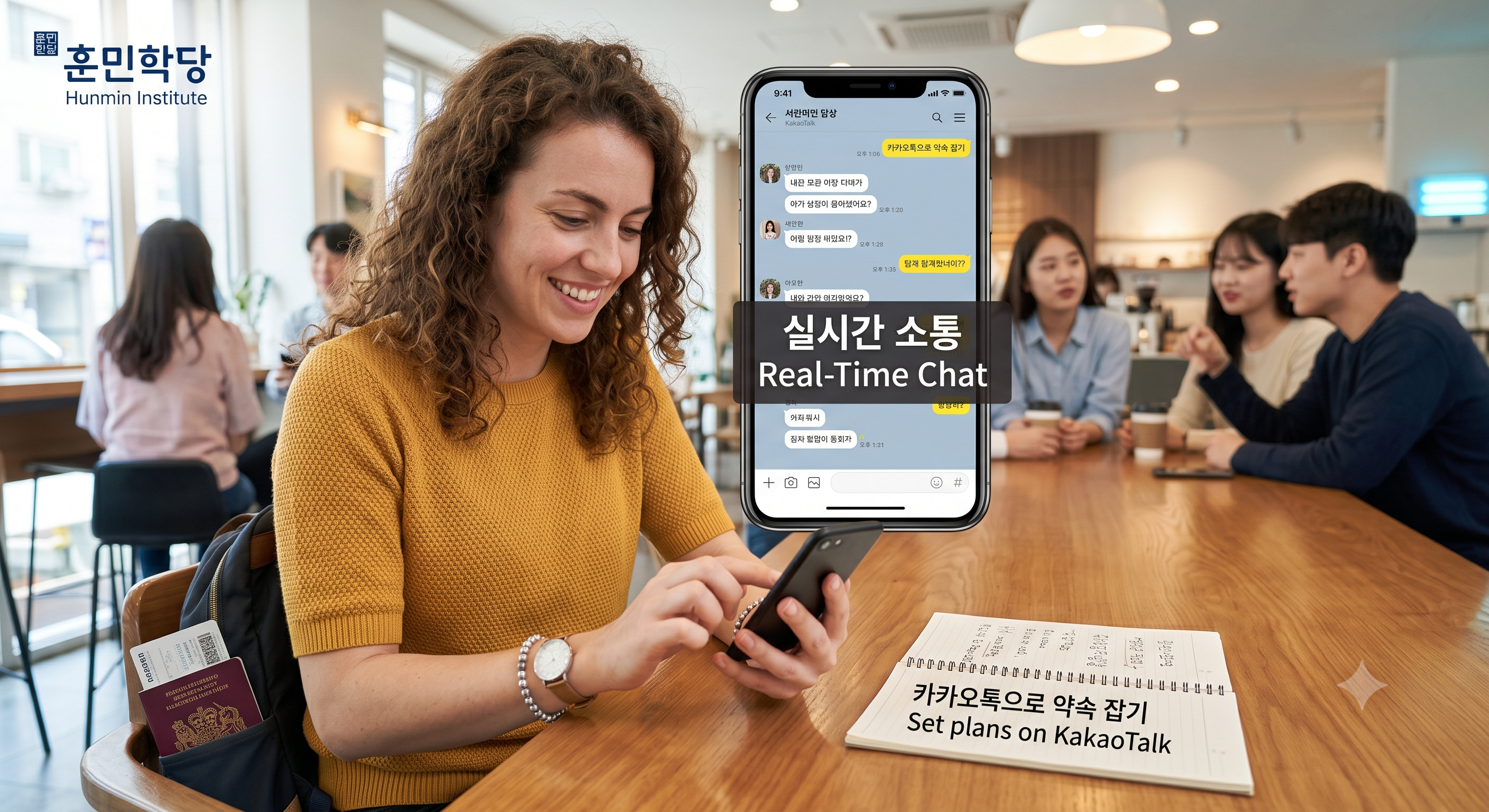
한국인 친구나 숙소 호스트와 실시간으로 연락할 때는 카카오톡이 사실상 유일한 통로입니다. 해외 번호로도 가입되고 영어 인터페이스를 지원하므로 출국 전에 설치해 두면 도착 후 연락이 끊기지 않습니다.
KakaoTalk is effectively the only channel for real-time contact with Korean friends or hosts. It accepts foreign numbers and offers English, so installing it before you fly keeps you reachable on arrival.
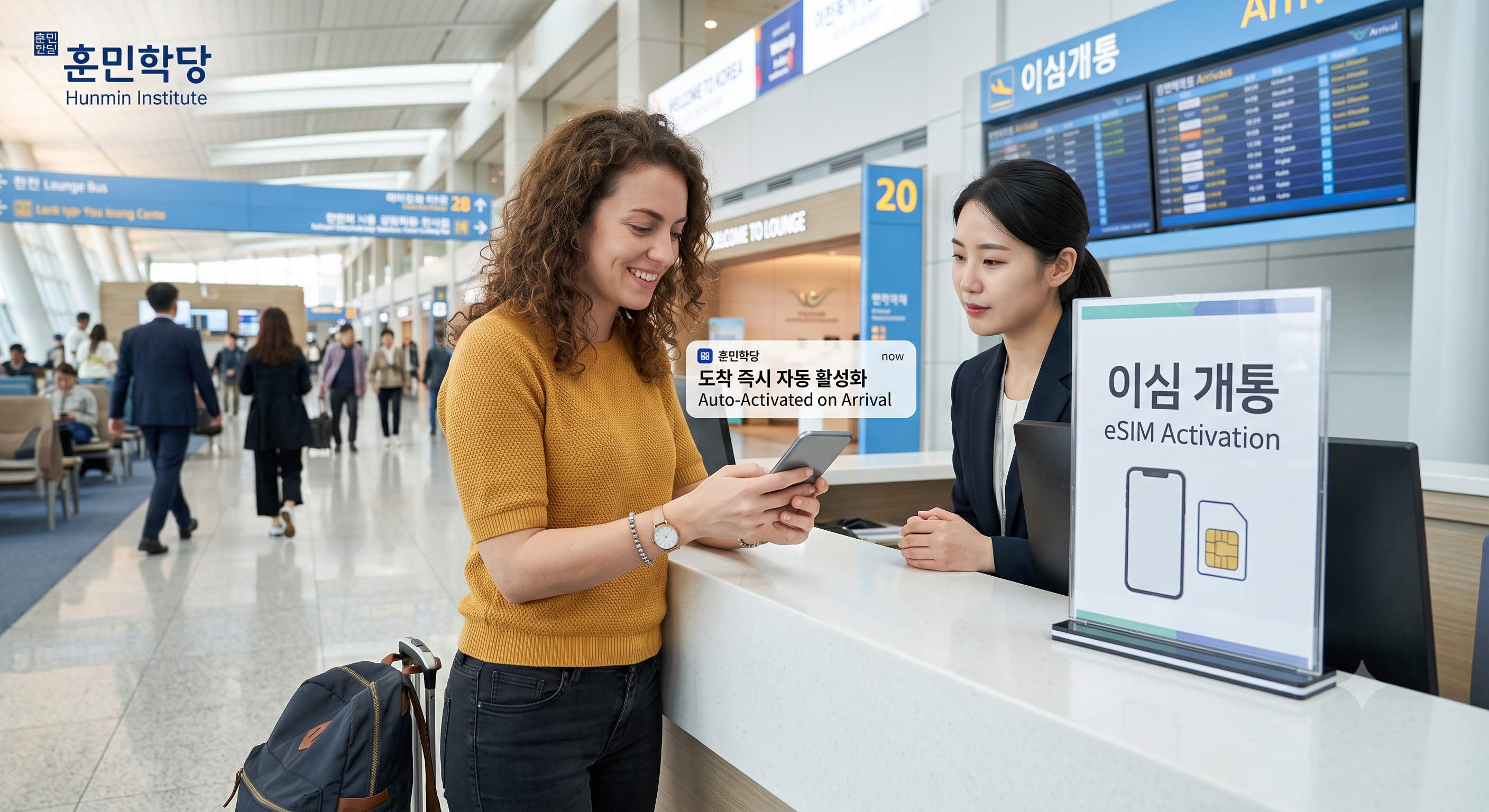
메신저가 돌아가려면 먼저 인터넷이 있어야 합니다. 이심은 물리 카드를 바꾸지 않고 쓰는 방식이며, 출국 전 준비와 현장 해결 두 갈래가 있습니다.
For the messenger to work you need internet first. An eSIM works without swapping a physical card, and there are two routes: prepare before departure or sort it out on site.
| 순서 Step |
무엇을 합니까 What to do |
|---|---|
| 1 | 출국 전 이심 지원 기종인지 확인합니다 Check before departure whether your phone supports eSIM |
| 2 | 이심을 미리 개통해 두면 인천공항 도착 즉시 켜집니다 Activate the eSIM in advance and it turns on the moment you land |
| 3 | 현장에서 해결하려면 입국장의 통신사 로밍센터를 찾습니다 To handle it on site, find a carrier roaming desk in the arrival hall |
| 4 | 메신저는 번호가 열리기 전에 미리 설치해 둡니다 Install the messenger before the line goes live |
여기서 쓰는 표현부터 배워봅시다. 로밍센터에서 오가는 말입니다.
Start with the expressions you will use here. These go back and forth at the roaming desk.
| 듣는 말 Listening |
하는 말 Speaking |
|---|---|
| 기종 확인해 드릴게요. [gijong hwaginhae deurilgeyo] Let me check your phone model. |
이심 개통하려고요. [isim gaetongharyeogoyo] I would like to activate an eSIM. |
| 이 기종은 안 됩니다. [i gijongeun an doemnida] This model is not supported. |
유심은 되나요? [yusimeun doenayo] Is a physical SIM possible? |
| 며칠 쓰실 거예요? [myeochil sasil geoyeyo] How many days will you use it? |
일주일이요. [iljuiriyo] One week. |
| 인증 문자 받으셨어요? [injeung munja badeusyeosseoyo] Did you get the verification text? |
네, 받았어요. [ne, badasseoyo] Yes, I got it. |
▶로밍센터에서는 이심 개통하려고요 한 문장으로 시작하면 됩니다.
At the roaming desk, isim gaetongharyeogoyo is the only line you need to open with.
기종에 따라 이심을 지원하지 않는 경우가 있으므로 출발 전 확인이 첫 단계입니다. 지원하지 않으면 유심으로 바꾸면 되고, 그때 쓰는 말이 유심은 되나요입니다.
Some phone models do not support eSIM, so checking before departure is the first step. If yours does not, a physical SIM takes over, and the line for that is 유심은 되나요.
려고요는 하려는 바를 부드럽게 밝히는 틀이며 어느 창구에서나 첫마디로 쓰입니다. 개통 자리에서도 예약 자리에서도 앞의 낱말만 바꾸면 그대로 통합니다.
려고요 states your intention gently and works as an opening line at any counter. Whether you are activating a line or making a booking, only the word in front changes.
메신저 설치도 출국 전에 마쳐 두면 도착 후 연락이 끊기지 않습니다. 번호가 열리기 전에 앱을 깔아 두면 인증 문자만 받고 바로 쓸 수 있습니다.
Installing the messenger before you fly keeps you reachable on arrival. With the app already in place, you only need the verification text to start using it.
앱은 일곱 개면 충분하고, 화면 속 한국어는 열 낱말이면 막히지 않습니다. 그 열 낱말과 창구에서 쓰는 네 틀을 손에 넣으면 나머지는 화면이 알아서 해 줍니다.
Seven apps are enough, and ten words keep the screens from stopping you. Once those ten words and the four counter frames are yours, the screens handle the rest.
Next: Alien Registration Card Korea: The 90-Day Deadline ↗
토픽 맛보기
TOPIK Preview
유형: TOPIK Ⅰ 읽기 [34~39], 대화, 빈칸에 알맞은 것 고르기
Type: TOPIK I Reading [34–39], dialogue, choose the correct word for the blank
( )에 들어갈 말로 가장 알맞은 것을 고르십시오.
Choose the most appropriate word for the blank.
가: 현금이 없는데 카드 ( )? 나: 네, 됩니다.
A: I have no cash. ( ) card? B: Yes, we do.
① 되나요
② 하나요
③ 가나요
④ 보나요
Answer ▾
정답 ① 되나요
Answer: ① 되나요
되나요는 그것이 가능한지 묻는 틀이므로 카드로 낼 수 있는지 묻는 이 자리에 맞습니다. ②는 무엇을 하느냐는 뜻이라 진술이 어긋나고, ③은 이동만 가리켜 일부만 걸리며, ④는 그럴듯해 보여도 보는 행위라 결제와 관계가 없습니다. 흉내 낸 대문항은 TOPIK Ⅰ 읽기 [34~39]입니다.
되나요 asks whether something is possible, which fits asking whether card payment is accepted. ② asks what someone does, ③ refers only to going somewhere, and ④ refers to looking, none of which fit payment. The item type modeled here is TOPIK I Reading [34–39].
FAQ
Q1. 이 앱들을 전부 깔아야 하나요?Answer ▾
Q1. Do I need all of these apps?
A1. 목적에 따라 고르시면 됩니다. 이동이 잦으면 지도와 택시 앱을, 맛집 위주면 예약 앱을 먼저 설치하십시오. 통신과 메신저는 목적과 무관하게 먼저 준비하는 편이 좋습니다.
A1. Choose by purpose. Install the map and taxi apps first if you move around a lot, the booking app first if your trip is food-focused. Connectivity and messaging are worth setting up first regardless.
Q2. 화면이 영어로 나오는데 한국어를 왜 알아야 하나요?Answer ▾
Q2. If the screen is in English, why learn the Korean?
A2. 알림 문구와 일부 단추, 기사가 보내는 메시지는 한국어로 옵니다. 열 낱말만 알면 그 지점에서 막히지 않습니다.
A2. Alerts, some buttons, and driver messages still arrive in Korean. Ten words keep you moving past that point.
Q3. 카카오T와 케이라이드 중 무엇을 먼저 쓰나요?Answer ▾
Q3. Which should I try first, Kakao T or K.ride?
A3. 카카오T에 해외 카드 등록을 먼저 시도하고 오류가 나면 케이라이드로 넘어가는 순서를 권합니다.
A3. Try registering a foreign card with Kakao T first, and switch to K.ride if you hit an error.
Q4. 택시에서 목적지를 말로 못 하겠습니다.Answer ▾
Q4. I cannot say my destination in a taxi.
A4. 앱에 목적지를 입력하면 기사에게 전달됩니다. 내릴 때만 여기 세워 주세요라고 하시면 됩니다.
A4. Enter the destination in the app and it reaches the driver. You only need 여기 세워 주세요 when you get out.
Vocabulary and Pronunciation for Foreigners
| No | Korean | Romanisation | Meaning |
|---|---|---|---|
| 1 | 길찾기 | gilchatgi | (n) directions, route search [dəˈrekʃnz] |
| 2 | 예매 | yemae | (n) advance booking [ˈbʊkɪŋ] |
| 3 | 충전 | chungjeon | (n) top-up [ˈtɑːp ʌp] |
| 4 | 인증 | injeung | (n) verification [ˌverɪfɪˈkeɪʃn] |
| 5 | 대기 | daegi | (n) waiting, queue [kjuː] |
| ▾ 단어 50개 더 보기 Show 50 more ↗ | |||
The blog page has limits of space and function, so only five words are shown here. The rest of the word list, the audio, the sentences and tables, the FAQ, the worksheet, the TOPIK questions and the lesson video are on the Hunmin Institute website ↗, free for blog subscribers.
참고 기관
Official Sources
한국관광공사 ↗
Korea Tourism Organization
https://www.visitkorea.or.kr
기관 설명 보기 About this institute ▾
This is the organization that publishes travel information on apps, transport and payment. It runs an English site and the 1330 tourist interpretation line, so you can ask a person when an app blocks you. App and payment conditions change often, so check before you travel.
인천국제공항공사 ↗
Incheon International Airport Corporation
https://www.airport.kr
기관 설명 보기 About this institute ▾
This is where you check the location of roaming desks and carrier counters in the arrival hall. It has an English site gathering facility information by terminal.
※ 본 콘텐츠(원고, 이미지, 예문 포함)는 저작권법에 의해 보호받는 훈민학당의 저작물입니다. 무단 복제, 전재, 재배포 및 AI 학습 데이터로의 이용을 금합니다.
This content (manuscript, images, and example sentences) is the copyrighted property of Hunmin Institute, protected under copyright law. Unauthorized copying, reproduction, redistribution, and use as AI training data are prohibited.
'K-Life' 카테고리의 다른 글
| Opening a Bank Account in Korea as a Foreigner (0) | 2026.08.08 |
|---|---|
| Korean Lease Contract Part 2: Protect Your Deposit (0) | 2026.08.08 |
| How to Find Housing in Korea Part 1: Room Types (0) | 2026.08.07 |
| Alien Registration Card Korea: The 90-Day Deadline (0) | 2026.08.04 |
| Exchange Student vs Language Course: Two Korean Student Visas (0) | 2026.07.26 |


